

Product Use Cases
Explore and learn more about everything from consumer engagement and unified monetization to increased LTV, building marketplaces, and scaling your business.
 Onsite
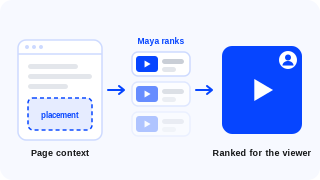
Grow your O&O with video placed and ranked for every viewer
11 use cases, each with the article that sets it up.
See use cases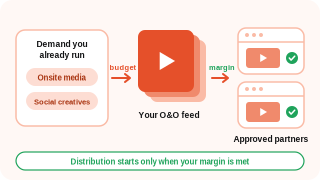
 Offsite
Grow your O&O by extending your feed to partners you approve, at a margin you set
7 use cases, each with the article that sets it up.
See use cases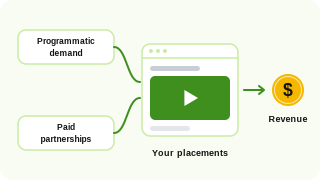
 Monetize
Earn more margin on every impression across your O&O
18 use cases, each with the article that sets it up.
See use cases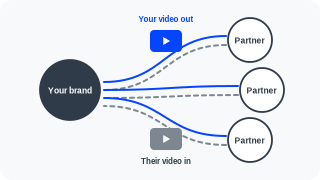
 Network
Share your video across partner sites and apps, and run theirs on yours
8 use cases, each with the article that sets it up.
See use cases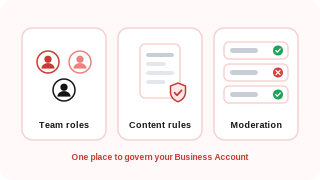
 Control
Set who can do what, what content runs, and how buyers see your inventory
9 use cases, each with the article that sets it up.
See use cases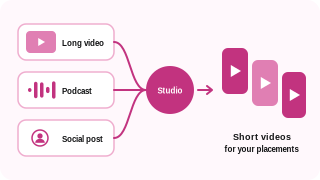
 Studio
Turn podcasts, shows, and catalogs into video in every size, in your brand voice
8 use cases, each with the article that sets it up.
See use cases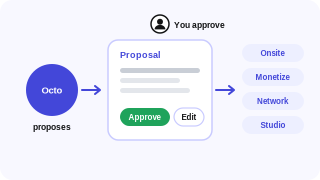
 Supervised Intelligence
The AI layer across every product, and the agents that run your network
15 use cases, each with the article that sets it up.
See use cases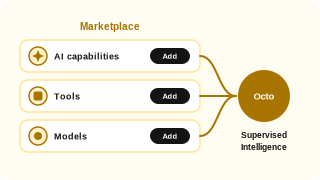
 Marketplace
AI capabilities, tools, and models for Supervised Intelligence
13 use cases, each with the article that sets it up.
See use casesOnsite
Grow your O&O with video placed and ranked for every viewer
Start hereSee how Onsite picks video for every page and every viewer
A placement renders a player on your page, and Maya chooses its videos from the page’s context and what the viewer watched before.
Read now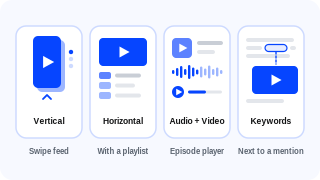 Player Styles
Compare the four player styles
Compare Vertical, Horizontal, Audio + Video, and Keywords players and pick the one that fits each page.
Read now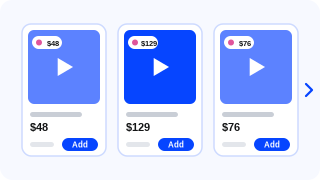 Shoppable Carousel
Sell straight from video on product and category pages
Each video carries products with price, availability, and a buy or add-to-cart action wired to your commerce API through the SDK.
Read now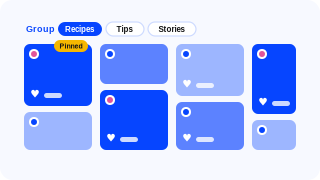 Content Hub
Bring creator and member posts into your own pages
A wall of posts organized by group, with reactions, replies, and pinned posts, rendered inside your pages.
Read now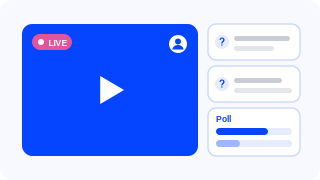 Live & Q&AComing soon
Host live sessions with questions, polls, and replay
A scheduled live player hosted by a creator. Sessions become Shorts clips automatically.
Read now Sticky Mini-Player
Keep video playing while visitors scroll and browse
A small player docks to a corner and keeps playing as the viewer scrolls or moves between pages, preserving the session.
Read now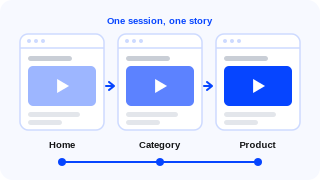 Personalize User Experience
Make every visit read as one story
What a viewer watched on one page shapes the next placement they see, from home page to category to product.
Read now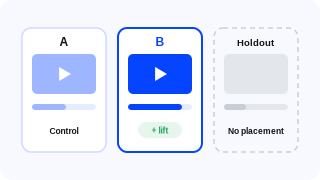 Experiments and Holdouts
Prove the lift of every placement change
Built-in A/B tests and standing holdouts per placement, so each layout or setting change is read as lift, not as a trend.
Read nowOffsite
Extend your O&O to the partner properties you approve
Start hereSee how Offsite grows your O&O
Your feed is extended to partners you approve, at a margin you set. Distribution starts only when that margin is being generated.
Read now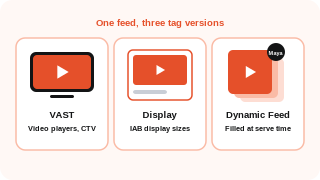 Tags for Distribution
Pick the tag that carries your feed to each partner
Three versions of one distribution tag: VAST for video players and CTV, JavaScript Display for IAB display sizes, and Dynamic Feed, which Maya fills at serve time.
Read now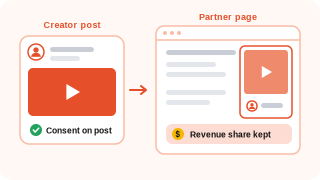 Creator Content on Partner Pages
Put creator and member posts on partner pages
Posts run on partner pages with the creator’s consent captured on the post and attribution kept for the revenue share.
Read now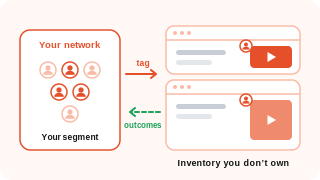 Audience Extension Tag
Reach your own audience on inventory you don’t own
A tag reaches one of your segments away from your properties, with every outcome credited back to your network.
Read now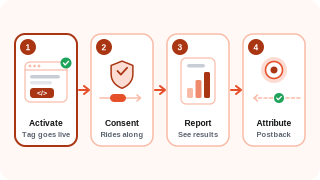 Activation and Attribution
Activate, pass consent, report, and attribute
Take a tag live on an approved partner’s page, pass consent with each request, read the report, and get conversion postbacks.
Read now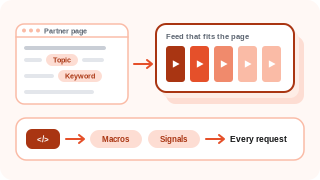 Contextual Feeds and Requests
Match the feed to each partner page’s context
A partner page’s topic and keywords pick the feed that renders, and the tag passes macros and signals on every request.
Read now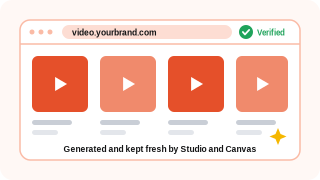 Generative Destination
Launch a brand-owned video destination on your own domain
A destination such as video.yourbrand.com that Studio and Canvas generate and keep fresh, and that partners can allowlist as a verified domain.
Read nowMonetize
Earn more margin on every impression across your O&O
Start hereSee how your placements earn revenue
Monetize earns from your placements through programmatic demand and paid partnerships.
Read now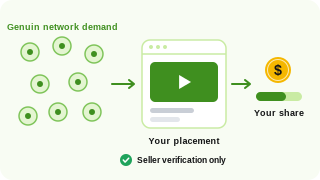 Genuin Network Revenue Share
Earn from day one with network demand
Demand from across the Genuin network runs in your placements and you earn a share, with no setup beyond seller verification.
Read now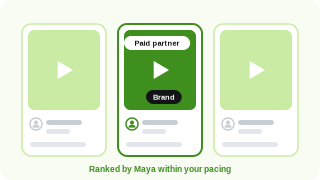 Paid Partner Post
Sell a brand a labeled spot in your feed
A brand’s video sits in your group with a disclosure label, ranked by Maya within the pacing you set.
Read now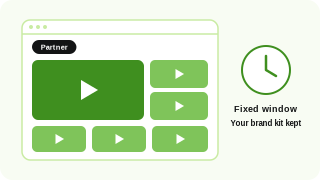 Paid Partner Takeover
Give a partner a whole placement for a fixed window
A partner’s content fills a placement, page type, or group for a set time, with your brand kit kept.
Read now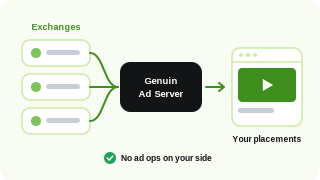 Genuin Ad Server
Fill placements with programmatic demand, without ad ops
Demand from connected exchanges is served into your placements, and Genuin ad operations configures the tags.
Read now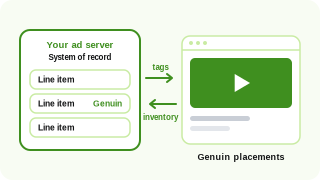 Partner Ad Server Integration
Keep your own ad server as the system of record
Your ad server, such as GAM, FreeWheel, or Beeswax, receives Genuin inventory as line items.
Read now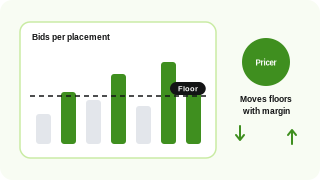 Floor Pricing and Yield Rules
Set the lowest price each placement will accept
Floors are proposed per placement, with yield rules by deal type, partner, and time. The Pricer agent can move floors with margin.
Read now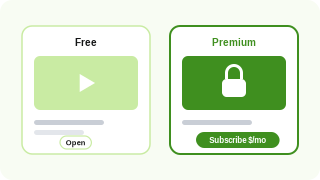 Subscriptions and Paid Access
Charge for premium groups, communities, and live events
Gate premium content and bill through Genuin, or pass entitlement from your own subscription system.
Read now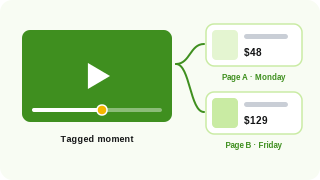 Dynamic In-Video Linkout
Let one video sell different products on different pages
A product, offer, or destination is attached to a tagged moment at serve time, so it can change by page and by day.
Read now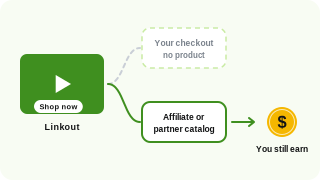 Affiliate Commerce
Still earn when your checkout doesn’t carry the product
Linkouts resolve to affiliate networks or partner catalogs, so the viewer completes the purchase and you earn.
Read now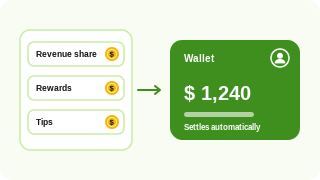 Wallet and Revenue Share
Pay creators and members automatically
Revenue share, rewards, and tips settle into each creator’s and member’s Wallet attached to your network.
Read now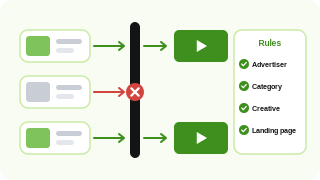 Blocklists and Ad Quality
Stop the wrong ads before they render
Advertiser, category, creative, and landing-page rules apply across Genuin Ad Server, partner ad servers, and Paid Partner content.
Read now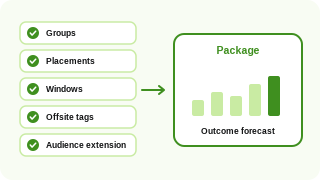 Package Builder
Bundle your inventory into one thing to sell
Assemble groups, placements, windows, offsite tags, and audience extension into a package with an outcome forecast.
Read now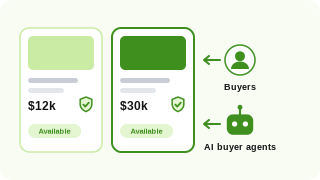 Package Listing and Discovery
Put your packages in front of buyers and AI buyer agents
Packages are listed in buyers’ own Business Accounts and, with AdCP discovery on, for AI buyer agents.
Read now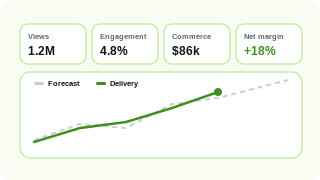 Outcome Forecast Blocks
Show buyers what a package is expected to deliver
Projected views, engagement, attributed commerce, and net margin on ad spend, reconciled against delivery.
Read now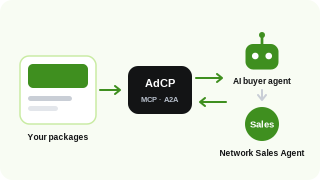 AdCP Discovery and Network Sales Agent
Let AI buyer agents find and buy your packages
Your packages are exposed as AdCP products over MCP and A2A and answered by Genuin’s Network Sales Agent.
Read now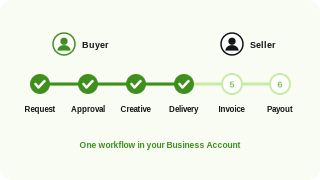 Buyer Workflow
Run every deal from request to payout in one place
Request, approval, creative approval, delivery, invoice, and payout are handled in your Business Account for buyer and seller.
Read now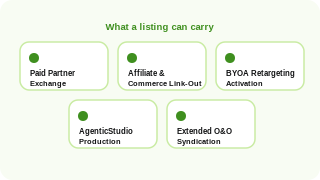 Network SKUs
Choose what a listing can carry
Paid Partner Exchange, Affiliate and Commerce Link-Out, BYOA Retargeting Activation, AgenticStudio Production, and Extended O&O Syndication.
Read nowNetwork
Share your video across partner sites and apps, and run theirs on yours
Start hereSee how video travels between you and your partners
Network shares your video with partner brands’ sites and apps, and runs theirs on yours.
Read now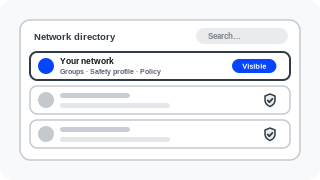 Network Directory Listing
Get discovered by other networks and brand partners
Your network, groups, brand safety profile, and content policy are made visible to others on Genuin.
Read now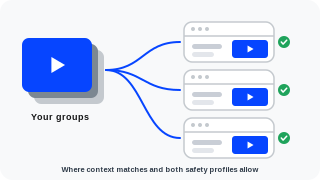 Content Distribution (Outbound)
Send your groups into partner placements
Your groups run in partner placements where context matches and both brand safety profiles allow.
Read now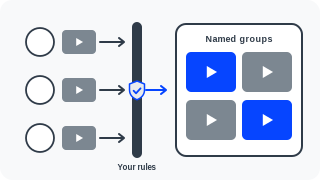 Partner Content Acceptance (Inbound)
Fill your feeds with content from partners you trust
Trusted brands and networks place content into named groups under your rules, which also creates Paid Partner inventory.
Read now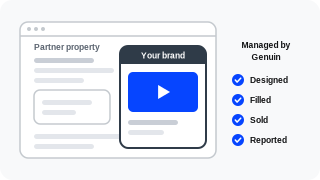 Extended O&O Destinations
Run your brand as a destination on partner properties
A persistent destination on partner properties, designed, filled, sold, and reported by Genuin as a managed service.
Read now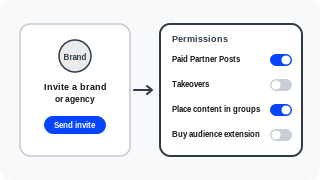 Brand Partner Invitations and Permissions
Invite brands and agencies with exactly the access they need
Choose what each partner can do: run Paid Partner Posts, Takeovers, place content in groups, or buy audience extension.
Read now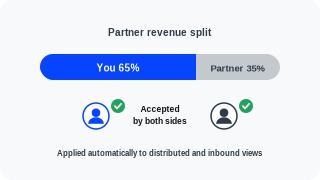 Partner Revenue Splits
Agree the split once and let it apply itself
Splits are set when a partnership is created, accepted by both sides, and applied to distributed and inbound views.
Read now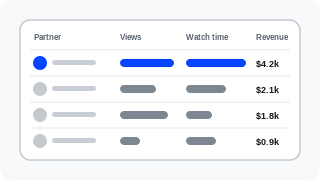 Network Reporting
See which partners and groups travel best
Views, watch time, and revenue by partner and placement, feeding production decisions in Studio and Canvas.
Read nowControl
Set who can do what, what content runs, and how buyers see your inventory
Start hereSee how Control governs your Business Account
Control sets team roles, content rules, and moderation in one place.
Read now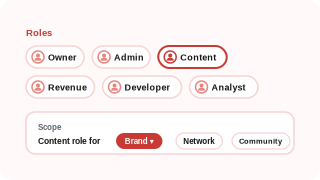 Business Account Roles
Give each teammate only the access their job needs
Owner, Admin, Content, Revenue, Developer, and Analyst roles, each scopeable to one brand, network, or community.
Read now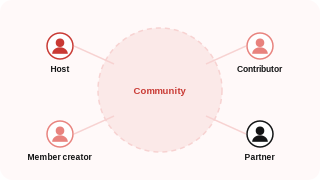 Community Roles and Creator Tiers
Decide who can host, contribute, and post
Host, Contributor, Member creator, and Partner roles inside communities, separate from Business Account roles.
Read now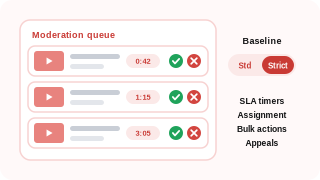 Moderation Baselines and Queue
Review flagged content before it reaches your audience
Standard or Strict classifier baselines, plus a queue with SLA timers, assignment, bulk actions, and appeals.
Read now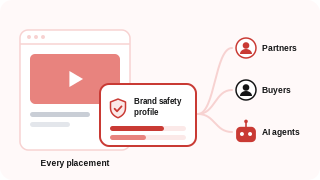 Brand Safety Profile
Show buyers what kind of inventory you run
A description of your inventory attached to every placement and shown to partners, buyers, and AI buyer agents.
Read now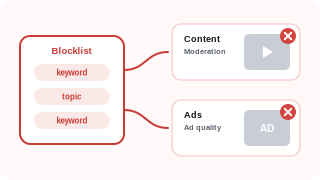 Keyword and Topic Blocklists
Block a keyword once for content and ads alike
Lists feed both moderation and ad quality, so an exclusion applies everywhere.
Read now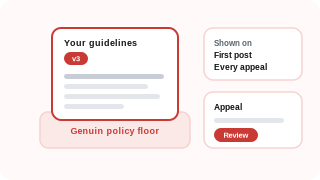 Community Guidelines and Appeals
Publish your own rules and handle appeals
Your guidelines sit on top of Genuin’s policy floor, shown on first post and on every appeal, with versions kept.
Read now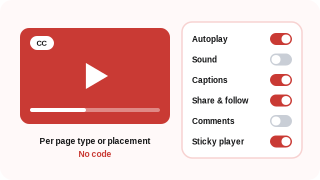 Player Controls and Feed Settings
Tune how the player behaves on each page, without code
Autoplay, sound, captions, share and follow buttons, comments, and sticky player, set per page type or placement.
Read now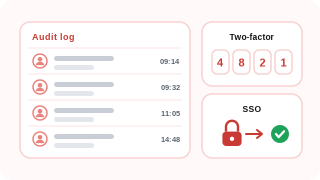 Audit Log, Two-Factor, and SSO
Know who changed what, and lock down sign-in
Every change is recorded by user and time, with two-factor enforcement and SSO on Enterprise.
Read nowStudio
Turn podcasts, shows, and catalogs into video in every size, in your brand voice
Start hereSee how Studio turns what you have into short video
Studio turns long videos, podcasts, and social posts into short videos for your placements.
Read now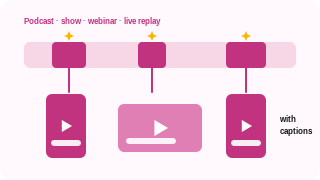 Clip Generation from Long-form
Cut the best moments from shows, podcasts, and webinars
Studio finds the strongest moments and cuts vertical and landscape clips with captions.
Read now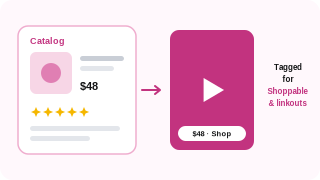 Product Video from Catalog
Make product videos straight from your catalog
Built from catalog images, copy, and reviews, and tagged for Shoppable placements and linkouts.
Read now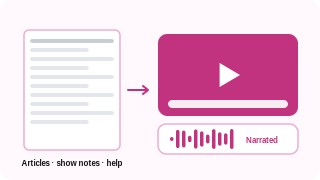 Text-to-Video Explainers
Turn articles and help content into narrated explainers
Articles, show notes, and help content become narrated clips in your brand voice.
Read now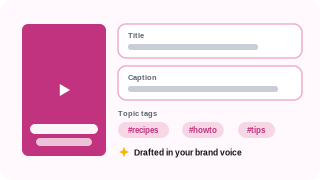 Captions, Titles, and Brand Voice
Get every clip captioned and titled in your voice
Each clip gets captions, a title, a caption line, and topic tags drafted from your brand kit. Your edits train the drafts.
Read now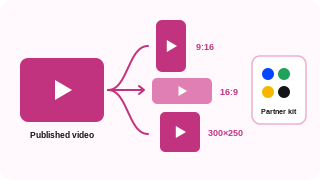 Adaptation
Re-cut one video for every size and partner
Re-cut a published video for another placement size, player, or a partner’s brand kit.
Read now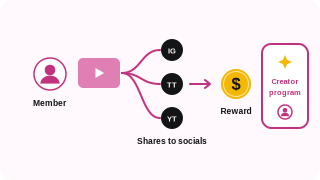 Rewards and Creator Programs
Reward members who share, and creators who make
Rewards for members who share your content to their own social accounts, and creator programs for those who make it.
Read now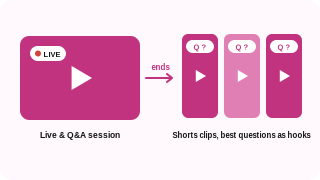 Live-to-Clips
Turn every live session into clips automatically
When a Live & Q&A session ends it becomes Shorts clips, with the best questions as hooks.
Read nowSupervised Intelligence
The AI layer across every product, and the agents that run your network
Start hereSee how Octo sets things up for your approval
Supervised Intelligence works in your Business Account: Octo proposes, and you approve.
Read now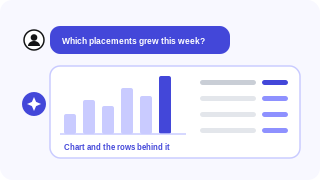 Ask
Ask your reports a question in plain language
Answers come from your reports along the grid, with the chart and the rows behind them.
Read now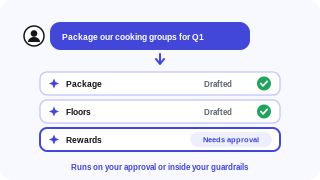 Act
Tell Octo what you want and approve the drafts
Octo turns instructions into drafted actions across products, run on your approval or within your guardrails.
Read now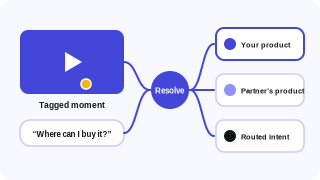 Resolve
Turn a moment in a video into a sale
A tagged moment or a viewer’s question is resolved at serve time into your product, a partner’s, or a routed intent.
Read now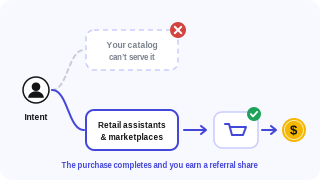 Generative Commerce Routing
Earn even when your catalog can’t serve the request
Intent is routed to large retail assistants and marketplaces under your agreement, and you earn a referral share.
Read now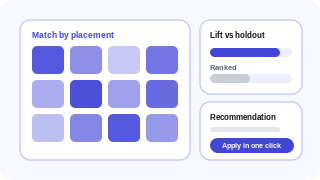 Relevance Dashboard
See how well each feed matched its viewer
Match by placement across your grid, lift measured against a holdout, and recommendations as one-click actions.
Read now Supervised Intelligence SDK
Let viewers ask questions right beside your video
Supervised Intelligence chat on article, event, and video pages, Generative Destinations, and in the Genuin player.
Read now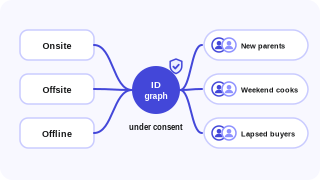 Audience Segments
Build audiences from onsite, offsite, and offline signals
Cohorts joined through the ID graph under consent, usable for ranking, targeting, packaging, and export.
Read now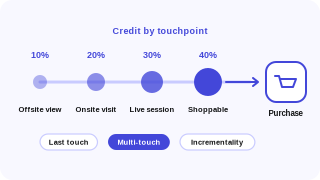 Attribution Models
See which touchpoints led to the purchase
Last touch, time-decayed multi-touch, incrementality, and exposure-to-purchase models, online and offline.
Read now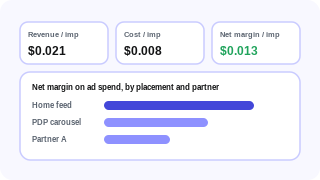 Margin Reporting
Know what you keep on every impression
Revenue, cost, and net margin per impression, and net margin on ad spend by placement and partner.
Read now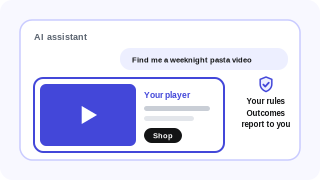 Generative Player for LLM Applications
Show up inside AI assistants with your own player
Assistants call your player as a tool and render it inline, so viewers watch and shop in your experience, under your rules.
Read now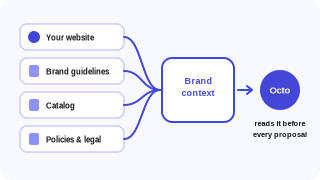 Brand Context and Website Crawler
Teach Octo your brand before it proposes anything
Point a crawler at your properties and add guidelines, catalog, partner rules, and policies. Octo reads them before every proposal.
Read now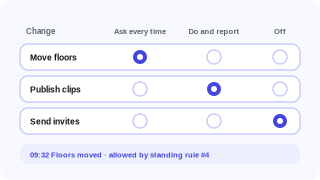 Autonomy and Approvals
Decide what Octo may do without asking
Each kind of change runs at ask every time, do and report, or off, and every action is logged with the approval that allowed it.
Read now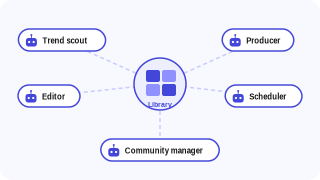 Canvas Growth Fleet
Put agents to work growing your library
Trend scout, Producer, Editor, Scheduler, and Community manager agents work on your cadence.
Read now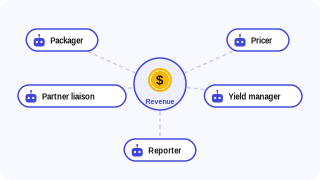 Canvas Monetization Fleet
Put agents to work on revenue
Packager, Pricer, Partner liaison, Yield manager, and Reporter agents build packages, move floors, and reconcile revenue.
Read nowMarketplace
AI capabilities, tools, and models for Supervised Intelligence
Start hereSee what the Marketplace adds to Supervised Intelligence
AI capabilities, the tools they use, and the models they run on, plus a way to publish your own.
Read now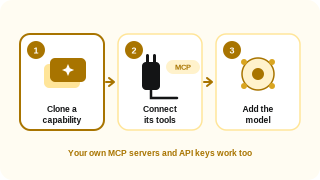 Capabilities, Tools, and Models
Give Octo new skills in three steps
Clone capabilities other brands published, connect the tools they need or your own MCP servers, and add the models they run on.
Read now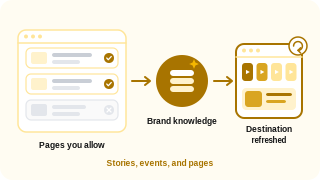 Read My Website
Read your website into your brand’s knowledge
Reads your website, or only the pages you allow, into your brand’s knowledge, then refreshes your destination when the read is done.
Read now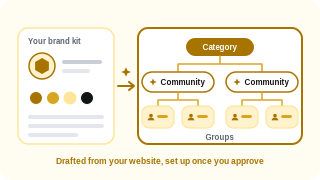 Build My Brand Structure
Draft your categories, communities, and groups
Drafts your categories, communities, and groups from your website, with your logos, colors, and description, and sets them up once you approve.
Read now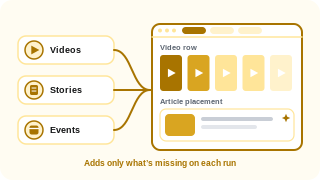 Build My Destination
Build your destination from your videos and stories
Builds your destination’s video rows, article placements, and pages from your videos, stories, and events.
Read now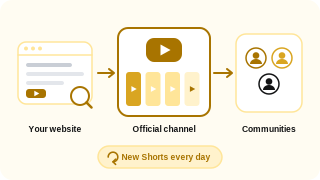 Import My Shorts
Bring your Shorts into your communities every day
Finds your official YouTube channel from your website, imports its Shorts into your communities, and keeps importing new ones every day.
Read now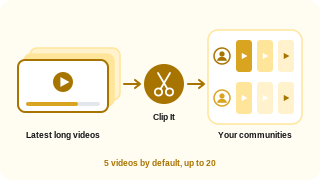 Clip My Long Videos
Turn your latest long videos into short clips
Cuts short clips from your latest long videos with Clip It and files them in your communities.
Read now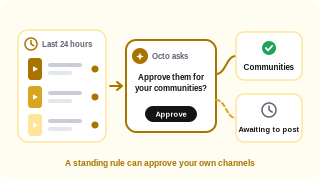 Review New Videos
Approve new videos before they reach your communities
Watches for new videos from your channels and asks you to approve them before they reach your communities.
Read now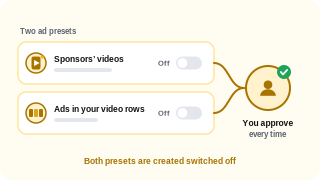 Set Up Monetization
Draft two ad presets to start monetizing
Drafts two ad presets, one for sponsors’ videos and one for ads in your video rows, and creates them switched off once you approve.
Read now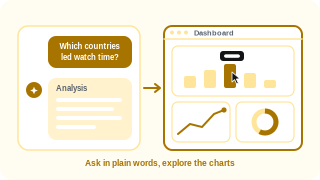 Analytics Visualization
Ask about your numbers and get interactive charts
Answers an analytics question asked in plain language with a written analysis and an interactive chart dashboard.
Read now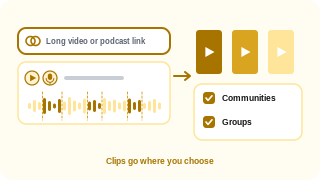 Clip It
Clip a long video or podcast on request
Turns a long-form video or podcast URL into short clips and imports them into the communities and groups you choose.
Read now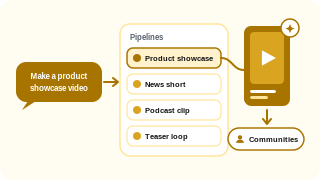 Video Generation
Make a short-form video with your brand’s pipelines
Generates a short-form video with one of your brand’s video generation pipelines and imports it into your communities.
Read now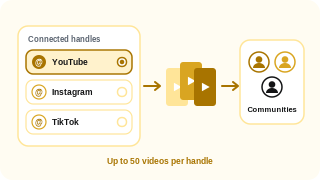 Social Import
Import videos from your connected social handles
Imports videos from your brand’s connected YouTube, Instagram, or TikTok handles into your communities and groups.
Read nowBy business type
Consumer brands: build a brand commerce media network
A consumer brand's audience and first-party data become a commerce media network: shoppable placements onsite, reach offsite, closed-loop attribution, and an ID graph that makes every impression smarter.
Creators and podcasters: launch a podcast network in an afternoon
A weekly podcast becomes a live, monetized video network on your own site in one afternoon on the Free plan, with no contract and no production team.
What a media network is on Genuin
A media network on Genuin is your brand's own distribution and monetization system: the places your video appears (your site, your apps, partner sites, the open web), the audience that watches it, and the revenue…
Media demand aggregators: route your advertisers' demand into the Genuin network
An aggregator that holds advertiser budgets (a DSP, an ad network, an agency trading desk, an affiliate or retail-media demand platform) runs each advertiser as a client brand under one Business Account and buys…
Media supply aggregators: bring your publisher network onto Genuin as one supply network
An aggregator that represents dozens or thousands of publishers, apps, or sites (an ad network, a syndication network, an app network, or a content network) runs every property as a brand under one Business Account,…
Network models in depth: Owned, Extended O&O, Commerce Media, Retail Media
The four network models are the same system with more demand sources and more data switched on at each level; you can move up a level at any time without rebuilding anything.
Publishers and media companies: launch a publisher media network
A publisher's brands become destinations across owned domains and Extended O&O inventory, operated by Genuin as a managed service, sold to brand partners directly and programmatically, with outcome-based packages.
Retailers: maximize margin per impression on a retail media network
A retailer's site, app, and partner inventory become a retail media network where every impression is priced to net margin, endemic brands buy outcome-based packages, and the retailer's own ad server stays the system…
Companies: turn your website into a media hub
A company website becomes a personalized video hub, with the same engagement mechanics as a social feed but on your domain, under your brand, feeding your own funnel.
By role
Agencies, partners & resellers: questions and answers
An agency launching networks for clients, a technology partner integrating, or a network accepting Extended O&O destinations.
Content, community & creators: questions and answers
The editor, producer, community manager, or creator who makes and moderates what viewers see.
Developers & engineering: questions and answers
The engineer who installs the SDK, wires identity, and keeps the integration healthy.
Finance & billing: questions and answers
The controller or finance lead who approves plans, reconciles revenue, and books payouts.
Founders & business owners: questions and answers
The person deciding whether to launch a media network on Genuin and what it will cost, from a solo creator to a CEO.
Legal, privacy & security: questions and answers
Counsel, the DPO, or the security reviewer who signs off before anything goes live.
Marketers & growth: questions and answers
The person responsible for audience, content performance, campaigns, and brand.
Media demand aggregators: questions and answers
DSPs, ad networks, agency trading desks, and affiliate or retail-media demand platforms that hold many advertisers' budgets.
Media supply aggregators: questions and answers
Ad networks, syndication networks, app networks, and content networks that represent many publishers, apps, or sites.
Operations, ad ops & support: questions and answers
The people who traffic tags, run the moderation queue, watch status, and answer the first support ticket.
Revenue, ad sales & yield: questions and answers
The person who sells inventory, manages demand, sets floors, and owns the number.
Developers: add video experiences to an existing product in one sprint
A developer can add Genuin to a web or mobile product in one sprint: loader, placements, auto login, events, and a webhook, with staging on the sandbox key and production on the live key.
Marketers: run a partner campaign onsite and offsite
A marketer runs one campaign across a partner's groups onsite and the open web offsite, with one creative set, one audience, and one attribution report.


