

Marketplace Use Cases
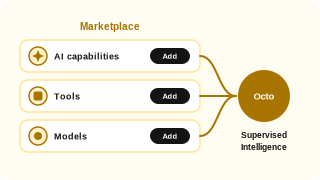
AI capabilities, tools, and models for Supervised Intelligence.
 Start here
See what the Marketplace adds to Supervised Intelligence
AI capabilities, the tools they use, and the models they run on, plus a way to publish your own.
Read now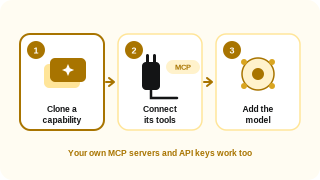 Capabilities, Tools, and Models
Give Octo new skills in three steps
Clone capabilities other brands published, connect the tools they need or your own MCP servers, and add the models they run on.
Read now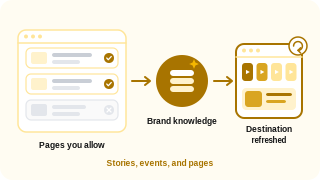 Read My Website
Read your website into your brand’s knowledge
Reads your website, or only the pages you allow, into your brand’s knowledge, then refreshes your destination when the read is done.
Read now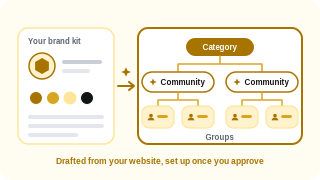 Build My Brand Structure
Draft your categories, communities, and groups
Drafts your categories, communities, and groups from your website, with your logos, colors, and description, and sets them up once you approve.
Read now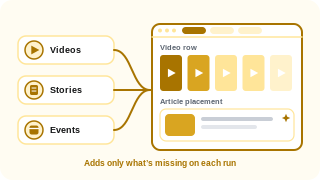 Build My Destination
Build your destination from your videos and stories
Builds your destination’s video rows, article placements, and pages from your videos, stories, and events.
Read now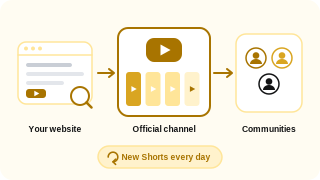 Import My Shorts
Bring your Shorts into your communities every day
Finds your official YouTube channel from your website, imports its Shorts into your communities, and keeps importing new ones every day.
Read now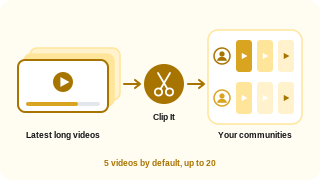 Clip My Long Videos
Turn your latest long videos into short clips
Cuts short clips from your latest long videos with Clip It and files them in your communities.
Read now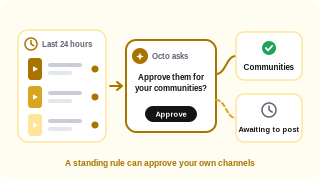 Review New Videos
Approve new videos before they reach your communities
Watches for new videos from your channels and asks you to approve them before they reach your communities.
Read now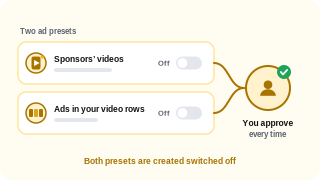 Set Up Monetization
Draft two ad presets to start monetizing
Drafts two ad presets, one for sponsors’ videos and one for ads in your video rows, and creates them switched off once you approve.
Read now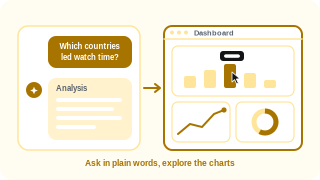 Analytics Visualization
Ask about your numbers and get interactive charts
Answers an analytics question asked in plain language with a written analysis and an interactive chart dashboard.
Read now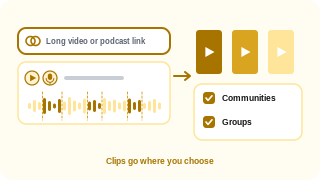 Clip It
Clip a long video or podcast on request
Turns a long-form video or podcast URL into short clips and imports them into the communities and groups you choose.
Read now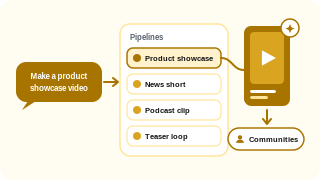 Video Generation
Make a short-form video with your brand’s pipelines
Generates a short-form video with one of your brand’s video generation pipelines and imports it into your communities.
Read now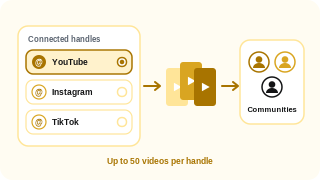 Social Import
Import videos from your connected social handles
Imports videos from your brand’s connected YouTube, Instagram, or TikTok handles into your communities and groups.
Read now

