

What are the specifications for vertical video ads?
Vertical video ads are the primary format for mobile-first, immersive experiences within communities and feeds. When configured correctly, they deliver:
- Higher engagement and completion rates due to full-screen viewing
- Seamless integration with short-form content feeds
- Better monetization performance across in-feed and in-stream placements
- Consistent user experience across Web, iOS, Android, and Mobile Web
For brands, following the correct specifications ensures ads render properly, load faster, and maximize revenue without disrupting the user experience.
Guide — Step-by-Step
Step 1: Understand Where Vertical Video Ads Appear
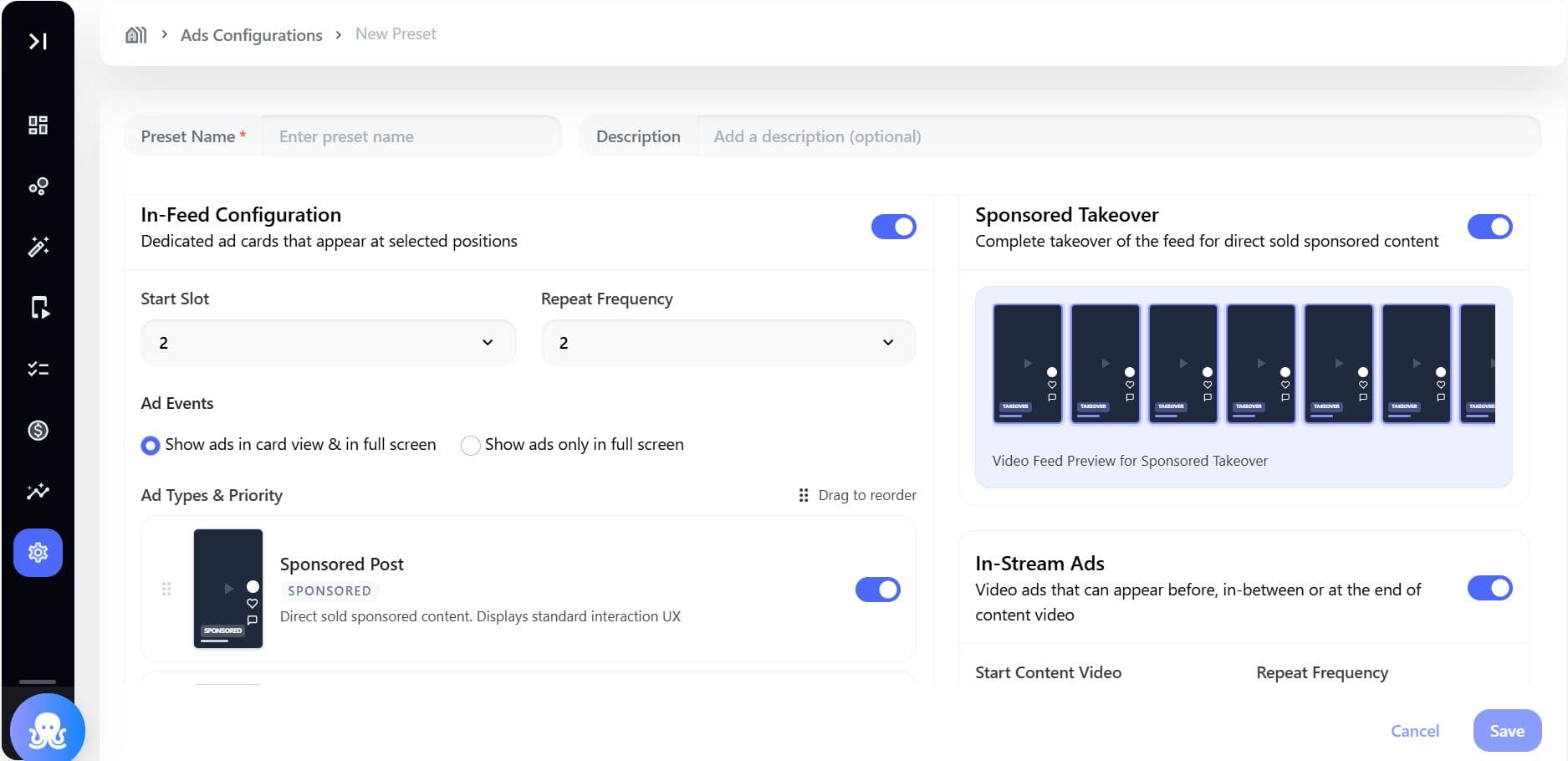
Vertical video ads are rendered across:
- In-Feed Ads - As video cards within the content feed
- In-Stream Ads - Pre-roll, mid-roll, post-roll within video playback
- Sponsored Takeovers - Full-screen immersive experiences
Step 2: Follow Recommended Video Format Specifications
| Specification | Recommended Value |
|---|---|
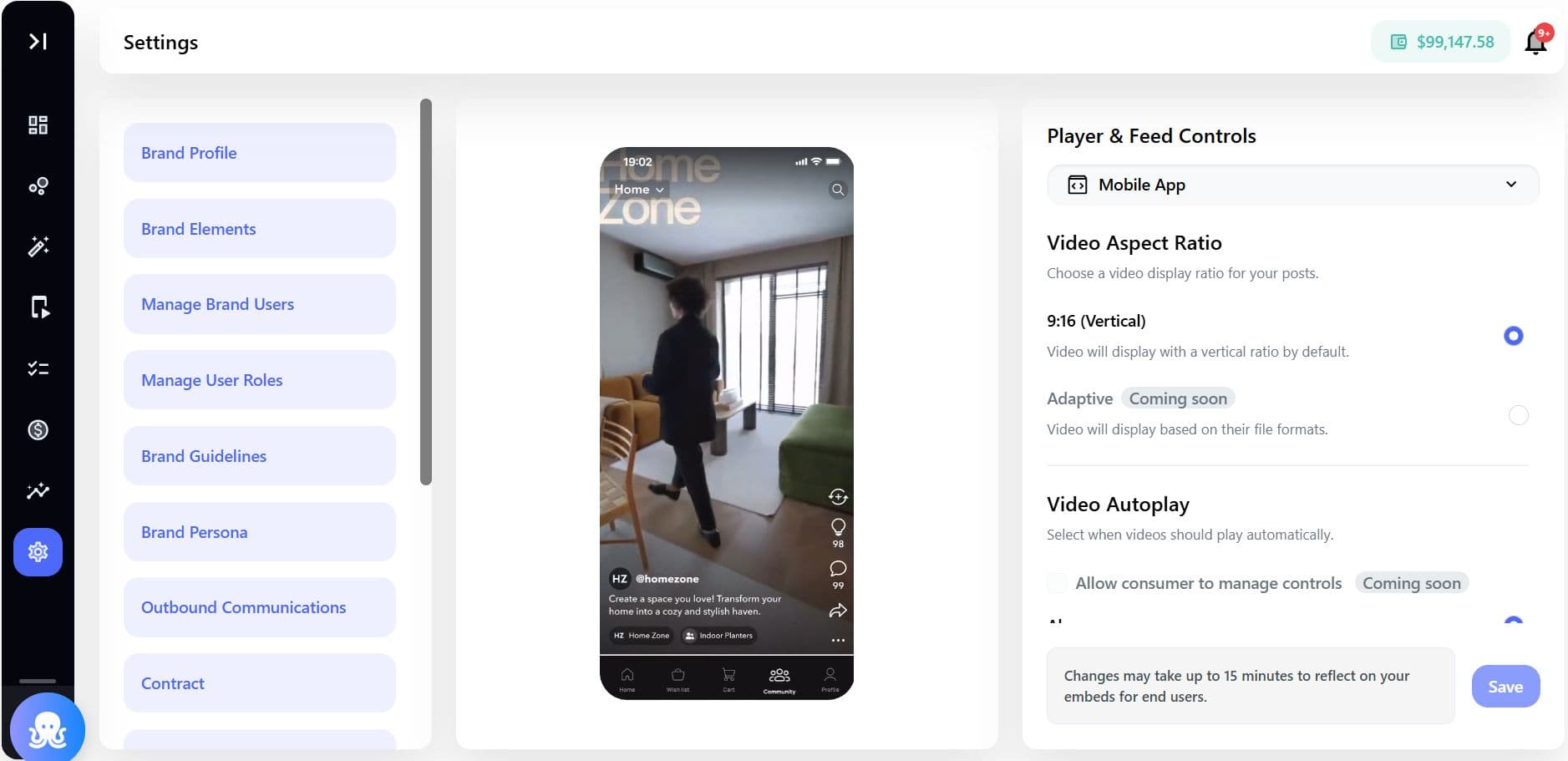
| Aspect Ratio | 9:16 (Vertical) |
| Orientation | Portrait |
| Resolution | 1080 × 1920 (Full HD) |
| Minimum Resolution | 720 × 1280 |
| File Format | MP4 (H.264 codec recommended) |
| File Size | Optimized for fast loading (≤ platform limits) |
| Duration | Flexible (commonly 5–30 seconds for ads) |
While multiple aspect ratios may be allowed, 9:16 ensures best performance and full-screen immersion.
Step 3: Align with Ad Configuration Settings
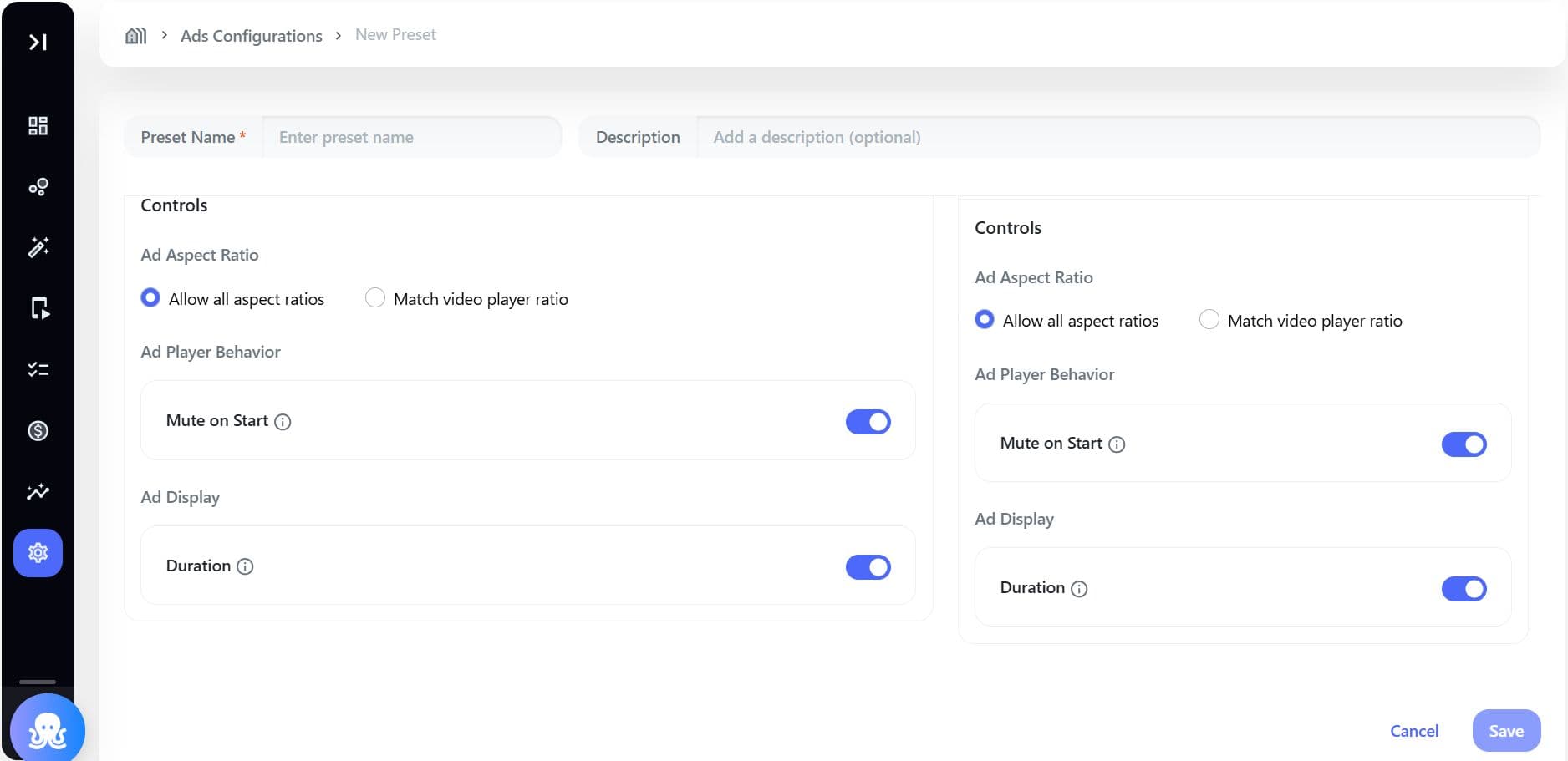
Vertical video behavior depends on preset controls:
| Setting | Impact |
|---|---|
| Ad Aspect Ratio = Match video player ratio | Enforces vertical display (recommended) |
| Ad Aspect Ratio = Allow all | Non-vertical ads may appear (letterboxed/pillarboxed) |
| Mute on Start | Ads autoplay muted in feed |
| Duration Display | Shows countdown timer on video ads |
Optimize for In-Feed Experience
For in-feed vertical ads:
- Autoplay when entering viewport
- Should be visually engaging within first 2–3 seconds
- Avoid dependency on sound (use captions/text overlays)
Optimize for In-Stream Experience
For pre-roll, mid-roll, and post-roll:
- Ensure fast load time (≤1 second recommended)
- Include:
- Clear branding early
- Skip-friendly structure
- Maintain consistent vertical format for full-screen playback
Ensure Cross-Platform Compatibility
Vertical video ads must render consistently across:
| Platform | Rendering Behavior |
|---|---|
| Web | HTML5 video with responsive aspect ratio |
| Mobile Web | Optimized for mobile viewport |
| iOS | Rendered via AVPlayer |
| Android | Rendered via ExoPlayer |
Specs & Limitations
Rendering Rules
| Rule | Behavior |
|---|---|
| Aspect ratio mismatch | Letterboxing/pillarboxing applied |
| Autoplay | Triggered on viewport entry (in-feed) |
| Full-screen transition | Maintains vertical ratio |
| No fill scenario | Slot collapses or fallback content shown |
Performance Constraints
| Requirement | Target |
|---|---|
| Ad load time | ≤ 800ms (in-feed) |
| Pre-roll start time | ≤ 1s |
| Layout shift | No visible feed jump (CLS < 0.1) |
| Bundle impact | ≤ 50KB added to SDK |
Content Constraints
| Rule | Behavior |
|---|---|
| Interaction UI | Disabled for programmatic video ads |
| Labeling | “Ad” badge displayed |
| Skip option | Available after defined duration |
| Fallback | House content shown if no ad fill |
Example Scenarios
1. In-Feed Video Ad
- A 9:16 video ad appears as a card
- Autoplays muted
- Expands to full screen on tap: Seamless with organic content
2. Pre-Roll Vertical Ad
- Plays before content video
- Full-screen immersive experience
- Skip after 5 seconds: High visibility and guaranteed impressions
3. Sponsored Takeover Video Feed
- Entire feed becomes vertical video ads
- Auto-advancing full-screen experience: Maximum engagement and brand impact
FAQs
1. Can non-vertical video ads be used?
Yes, but:
- They may appear with black bars
- Performance may be lower compared to vertical
2. What is the best duration for vertical ads?
- 5-15 seconds for higher engagement
- Longer formats possible for storytelling
3. Do vertical ads autoplay?
Yes, in most cases:
- Autoplay is triggered in-feed
- Controlled by mute settings
4. Are captions required?
Not mandatory, but highly recommended:
- Improves engagement
- Supports muted autoplay
5. What happens if an ad fails to load?
- SDK tries next priority ad type
- Falls back to house content or collapses slot
