

What Are Generative Contextual Continuity Embeds?
Overview:
Generative Contextual Continuity Embeds are an advanced form of onsite video embeds that preserve user intent across journeys while dynamically generating new, relevant content in real time.
Generative Contextual Continuity Embeds currently apply to onsite embed experiences within owned web and app environments. Offsite and LLM-driven distribution use cases are governed separately.
Unlike standard embeds that reset on every page or even basic contextual feeds that react only to the current page - Generative Contextual Continuity Embeds adapt continuously. They understand where a user has been, what they’ve engaged with, and what they’re likely to want next, then generate a feed that evolves with them.
This matters because modern audiences don’t consume content in isolation. They move across pages, sessions, and touchpoints, and they expect the experience to feel intentional, connected, and personalized, not repetitive or random.
Generative Contextual Continuity enables brands to:
- Maintain relevance without freezing the feed
- Scale personalization without manual rules
- Deliver AI-powered discovery with full governance and control
Who This Is For
Use Generative Contextual Continuity Embeds if you are:
- A media brand building sticky, session-based content journeys
- A commerce or retail brand guiding users from discovery to conversion
- A growth or engagement team optimizing time-on-site and return visits
- A product or platform team replacing static embeds with adaptive AI-driven feeds
This is ideal when continuity alone is not enough, and the experience must intelligently evolve.
What Makes Generative Contextual Continuity Different
Generative Contextual Continuity builds on Contextual Continuity by adding AI-driven feed generation, not just persistence.
Compared to Other Embed Types
| Embed Type | What It Does | Limitation |
|---|---|---|
| Standard Embed | Shows a fixed feed | Resets on every page |
| Contextual Embed | Reacts to current page | No memory |
| Contextual Continuity Embed | Preserves journey context | Feed can become stale |
| Generative Contextual Continuity Embed | Preserves intent and generates new content | Requires AI governance |
This ensures the feed stays fresh, relevant, and progressive - without breaking continuity.
How Generative Contextual Continuity Embeds Work
Generative Continuity uses Genuin Adaptive Intelligence to combine memory, context, and generation into a single ranking and creation loop.
1. Context Is Preserved Across the Journey
The system maintains:
- Page and category history
- Content interactions (views, sparks, reposts)
- Community and group affinity
- Session-level and cross-session signals (when enabled)
2. AI Generates the “Next Best Feed”
Instead of replaying the same content, Genuin:
- Expands into adjacent topics
- Introduces new creators or formats
- Surfaces next-stage content (education > comparison > commerce)
This avoids fatigue while respecting original intent.
3. Multi-Signal Ranking Determines What Appears
Each video is scored using a weighted model:
Final Score =
(Continuity Relevance × Intent Weight)
+ (Context Similarity × Discovery Weight)
+ (Recency × Freshness Weight)
+ (Popularity × Engagement Weight)
This ensures feeds are:
- Personally relevant
- Contextually consistent
- Fresh and engaging
- Performance-aware
Where Generative Continuity Embeds Are Used
Generative Contextual Continuity Embeds are commonly deployed across high-intent surfaces:
Media & Publisher Use Cases
- Article-to-article discovery journeys
- Topic hubs and evergreen content sections
- Creator-led storytelling experiences
Commerce & Retail Use Cases
- Category > PDP > comparison flows
- Inspiration > education > purchase journeys
- Post-purchase re-engagement and loyalty
How to Configure Generative Contextual Continuity Embeds
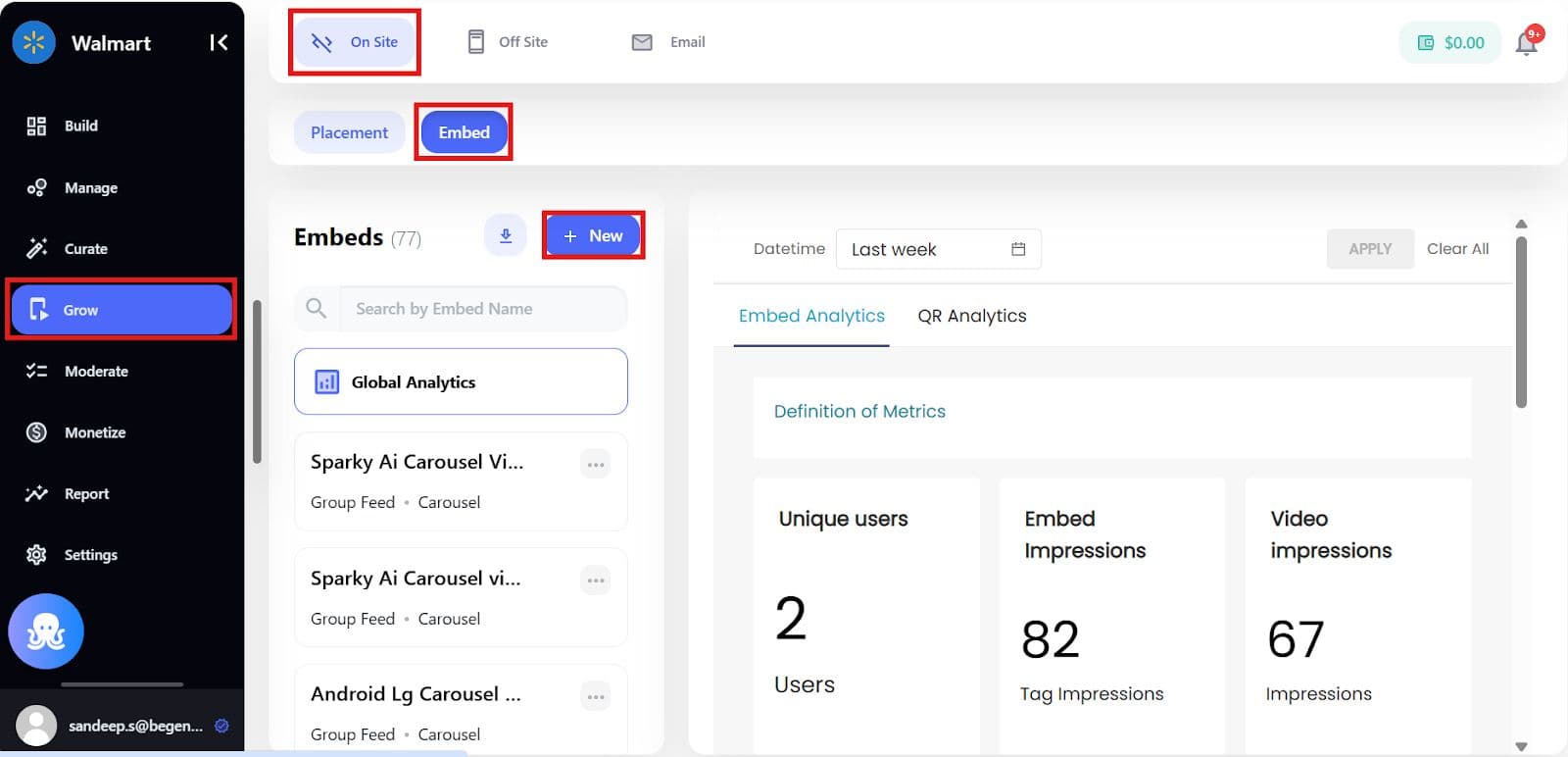
Step 1: Create an Onsite Embed
Navigate to:Grow > Onsite > Embeds
Select:
- Embed Type: Community / Group / Brand
- Feed Mode: Contextual Feed
Step 2: Enable Contextual Continuity
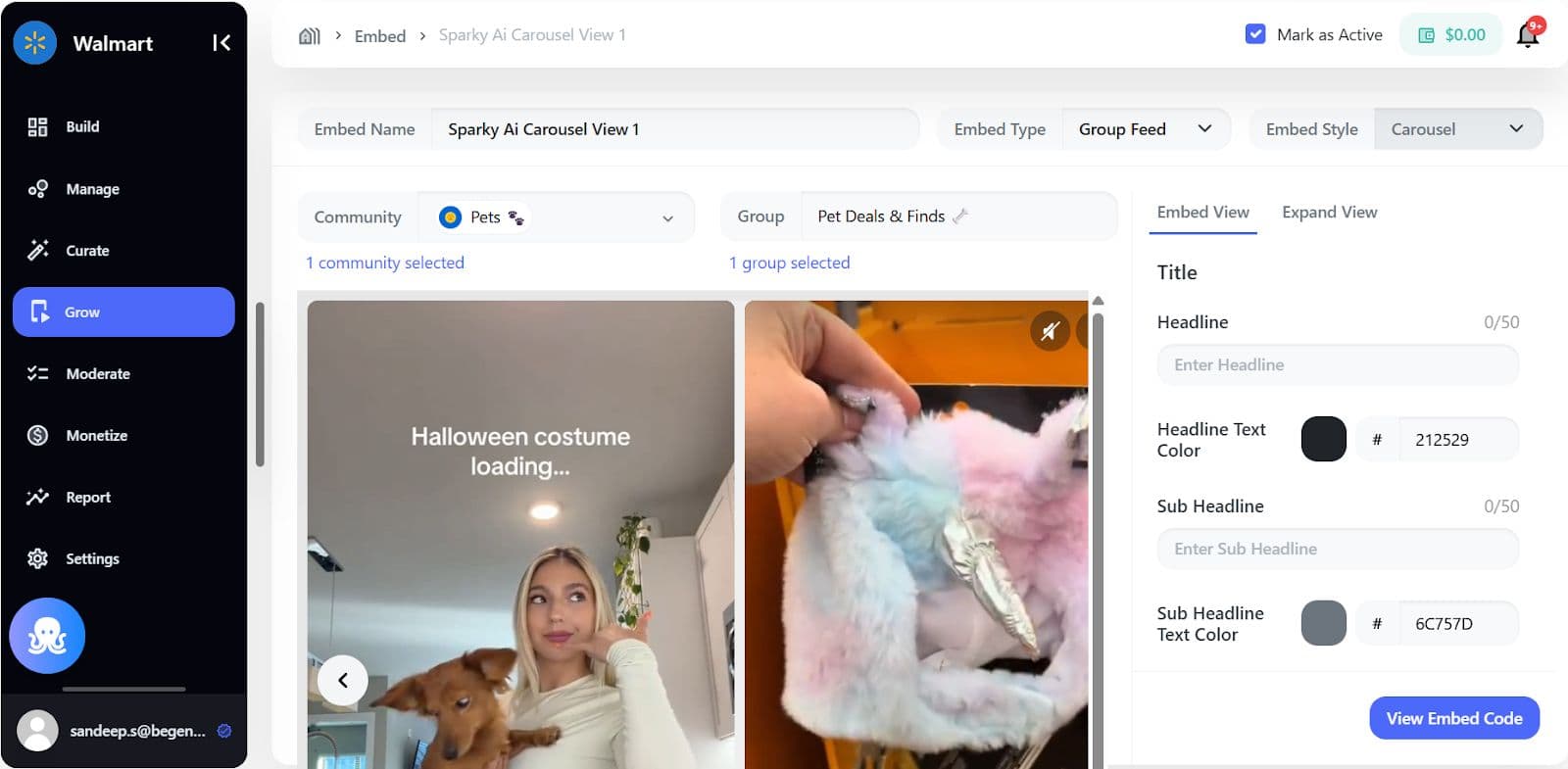
In Embed Settings:
- Enable Contextual Feed
- Enable Continuity Mode
- Select Session-level or Cross-session continuity
Step 3: Enable Generative Continuity
Turn on Generative Continuity to allow AI to:
- Expand content scope intelligently
- Introduce new but relevant content
- Avoid repetition loops
Optional controls:
- Discovery aggressiveness (Low / Balanced / High)
- Community or group boundaries
- Brand or creator restrictions
Step 4: Apply Governance & Restrictions
You remain in full control.
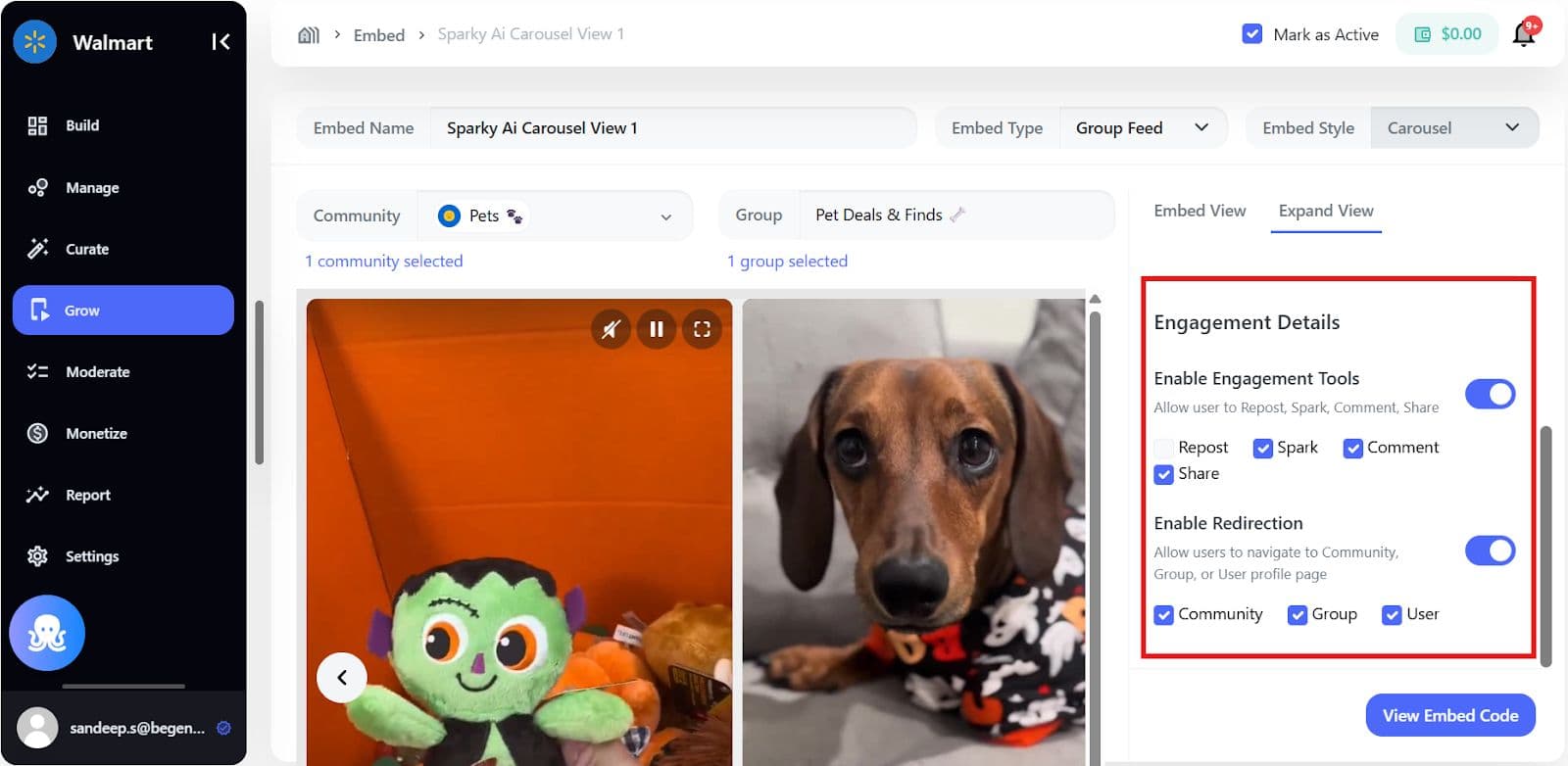
You can restrict:
- Communities or groups
- Brands or creators
- Content sources (UGC, creators, partners)
- Shoppable vs editorial content
All content still passes through:
- AI moderation
- Editorial approval (if enabled)
- Audit and activity logs
Governance, Trust, and Brand Safety
Generative does not mean ungoverned.
Genuin ensures:
- No hallucinated or synthetic videos
- No cross-brand contamination
- No loss of editorial oversight
- Full explainability of recommendations
AI assists discovery - but humans remain in control.
This is critical for:
- Regulated industries
- Enterprise publishers
- Retail and commerce environments
Business Impact
Brands using Generative Contextual Continuity Embeds typically see:
- Higher session depth
- Lower bounce rates
- Improved discovery-to-conversion flow
- Increased return visits
- More sustainable content performance
Because the experience adapts, users stay longer, and come back.
Specs & Limitations
- Available on supported Grow plans
- Requires contextual feeds to be enabled
- Cross-session continuity depends on user identification
- Generative expansion respects all embed restrictions
